
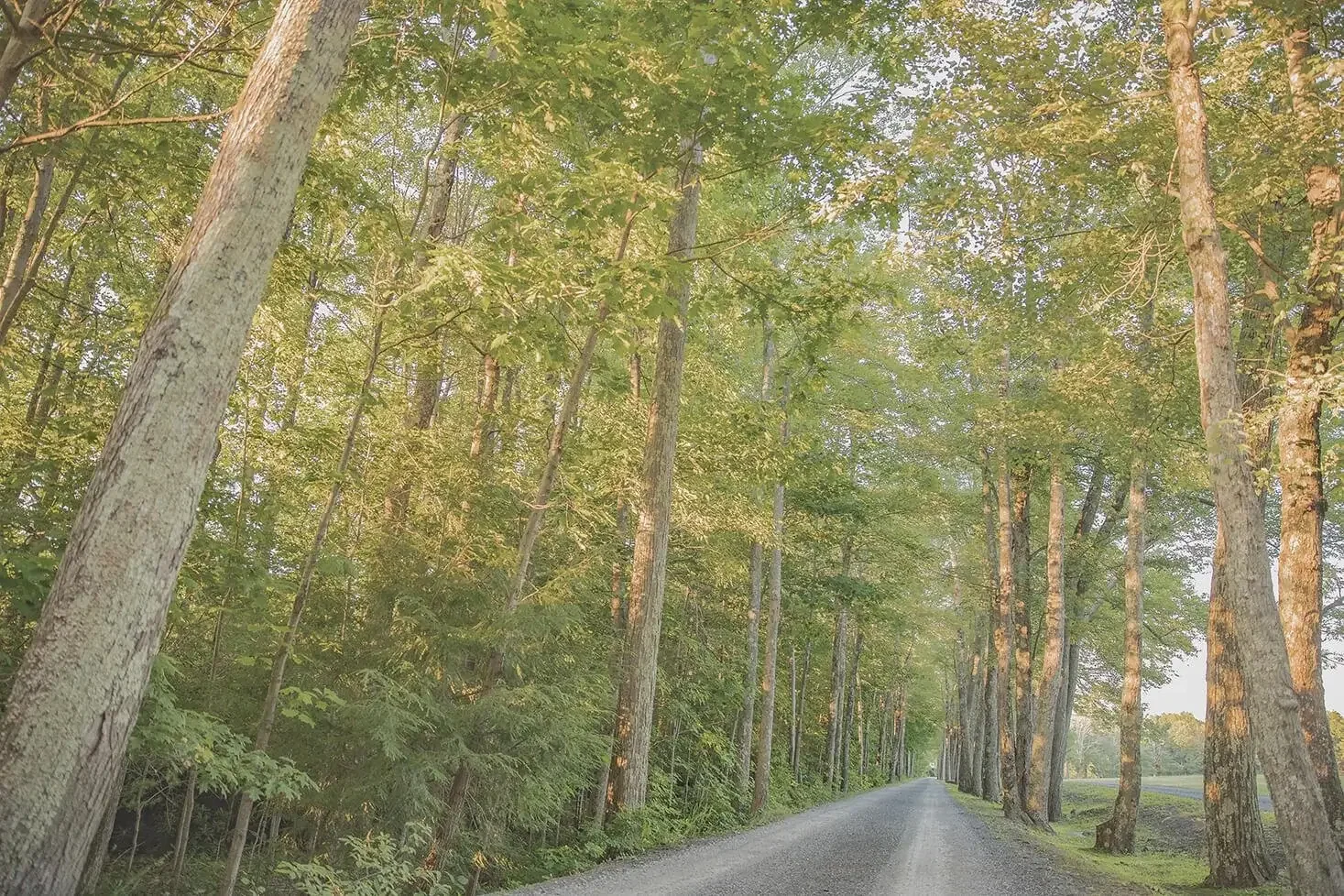
325 Acres in the Pocono Mountains
Mountain Springs Lake Resort Map
Find your cabin or suite, locate the lake, beaches, playgrounds, nature trail, The Lodge, Guest Services, parking areas, and resort entrances before you arrive.
Property & Trail Map
Find Your Way Around the Resort
Use the map to orient yourself around Mountain Springs Lake Resort. Accommodation numbers are marked around the property along with major resort features, roads, parking areas, and the nature trail.
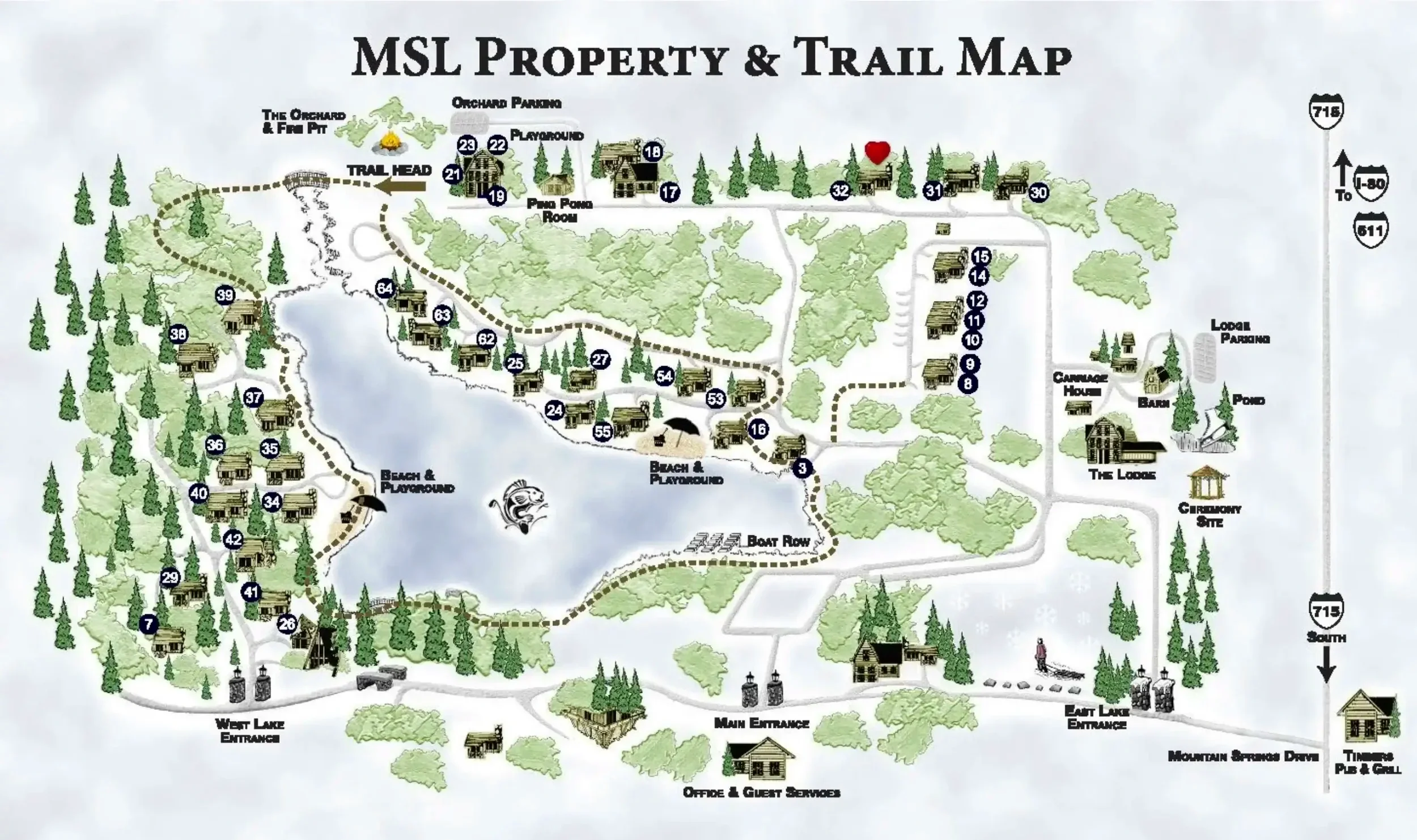
On a phone, use Explore Interactive Map for larger labels, accommodation previews, and easier panning.
Quick Orientation
What You Can Find on the Map
The property map helps you see how accommodations and major resort areas relate to the lake, roads, trails, and common spaces.
Find Your Accommodation
Choose Your Stay, Then Locate It on the Map
Accommodation numbers on the map correspond with Mountain Springs Lake Resort's cabins, adult-only suites, and seasonal accommodations.
Before You Arrive
Use the Map for the Property, Directions for the Drive
The resort map is designed to help you navigate once you are on the property. For the best route to Mountain Springs Lake Resort, use our driving directions page before your trip.
When you arrive, Office & Guest Services is marked near the Main Entrance. From there, the property map can help you locate your accommodation and nearby resort areas.
Resort Address
Mountain Springs Lake Resort 1246 Mountain Springs DriveStroudsburg, PA 18360 View Driving Directions
Helpful Map Questions
Resort Map – Frequently Asked Questions
Quick answers about finding accommodations, Guest Services, the trail, beaches, The Lodge, and arrival information.
Does the resort map show individual cabin and accommodation numbers?
Yes. Accommodation numbers are marked throughout the property map so you can see where your cabin, suite, farmhouse, cottage, or apartment is located.
Where is Office & Guest Services?
Office & Guest Services is marked near the Main Entrance on Mountain Springs Drive.
Does the map show the nature trail?
Yes. The property and trail map shows the nature trail route and the trailhead area.
Can I find the beaches and playgrounds on the map?
Yes. Beach and playground areas are labeled around the lake on the resort map.
Is The Lodge shown on the resort map?
Yes. The Lodge and its parking area are shown on the east side of the property map.
Can I make the map larger on my phone?
Yes. Use the “View Map Full Screen” button above the map. On smaller screens, you can swipe horizontally inside the full-screen viewer to inspect the map labels.
Should I use the property map for driving directions?
Use the property map for navigation after you arrive. For your drive to the resort, use our Resort Directions page for arrival information.
Where can I see more information about resort amenities?
Visit the Resort Amenities page for more information about the lake, beaches, playgrounds, trails, recreation, and other amenities available during your stay.
Ready to Stay at the Lake?
Check Current Availability & Rates
Explore available cabins, suites, and seasonal accommodations at Mountain Springs Lake Resort.
Booking window not displaying? Open the secure booking calendar.
Mountain Springs Lake Resort Property & Trail Map
Tap or click an accommodation number for details. Scroll or swipe to inspect smaller map labels.